How to Audit a Shopify Theme: 80+ Checks for Performance, SEO, AEO & GEO
Audit any Shopify theme across 80+ checks for performance, app overhead, SEO, AEO, and GEO. Free Claude Code tool, dual-scored report, copy-paste Liquid fixes.

Listen to this article
How to Audit a Shopify Theme: 80+ Checks for Performance, SEO, AEO & GEO
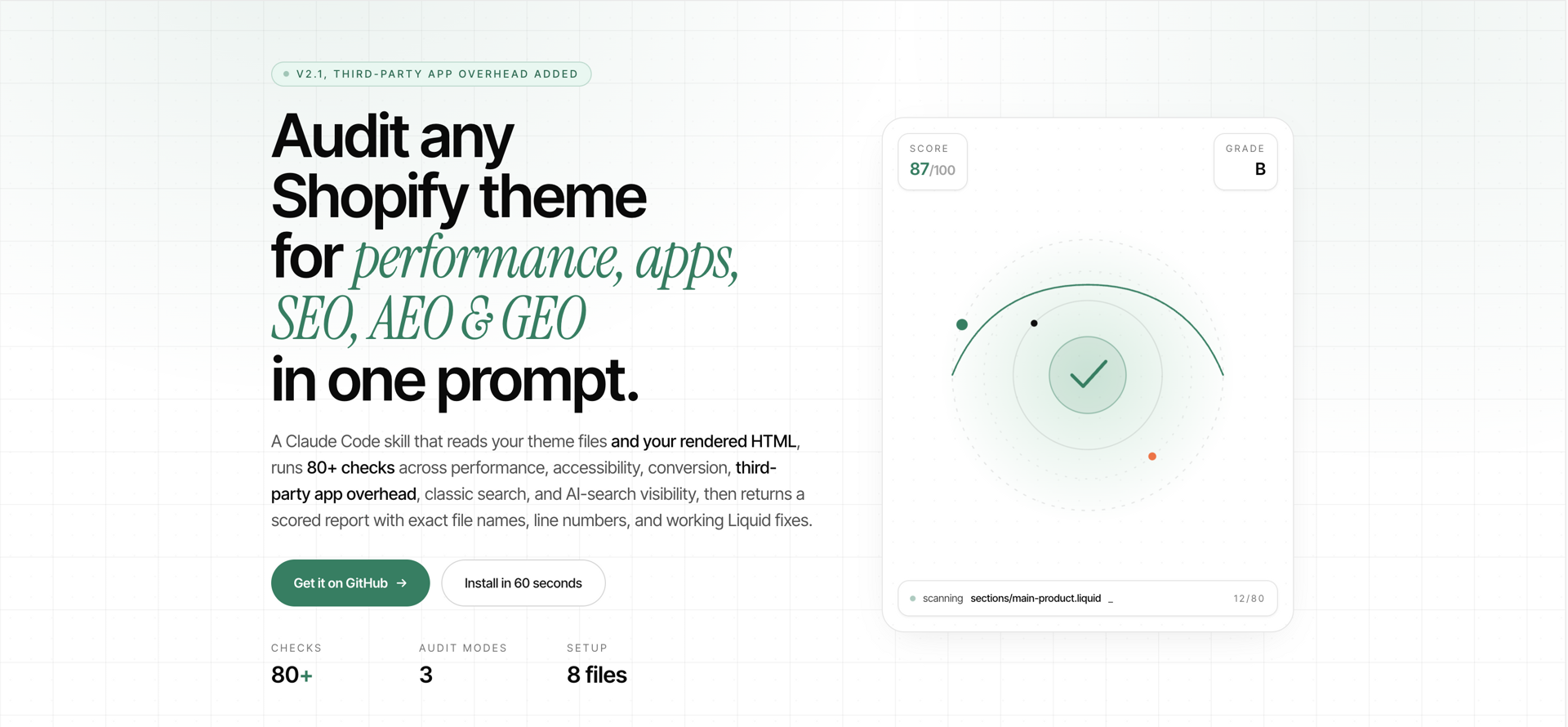
To audit a Shopify theme properly in 2026 you have to check three things at once: does it perform, can search engines index it, and can AI assistants like ChatGPT and Perplexity actually read it. The Shopify Theme Audit Skill is an open-source Claude Code skill that runs all 80+ checks across seven categories and returns a dual-scored verdict with file-level findings and Liquid fixes. The first version covered 22 checks; the rebuild adds SEO, AEO, and GEO coverage, a dedicated third-party app overhead pass, and live-store auditing through the Shopify MCP. The live page is at auditskill.tanujrajput.com. Below is what the rebuild changes, the full check list, and a real dual-scored verdict.
Why I rebuilt it
The first cut went out at 22 checks across performance, accessibility, and conversion. People used it. The feedback was the same from three different directions: it caught the code-level stuff but didn't catch why a theme wasn't getting found. A clean Lighthouse score doesn't help if the product schema is missing, the canonical is broken on filter URLs, or Claude and Perplexity can't extract the FAQ block because it's rendered into a script tag by an app.
So the rebuild adds three things the first version didn't have:
- A search layer. Eighteen SEO checks, ten AEO checks for AI-search citation-readiness, nine GEO checks for AI Overview visibility.
- A third-party app overhead pass. Twenty-plus apps detected by signature, scored by load strategy — synchronous Klaviyo in the head is a different finding from a deferred Klaviyo at body end.
- A live-store mode. If you have read access via the Shopify MCP, the skill can pull rendered HTML and check what the customer's browser actually sees, not just what the theme files imply.
It still runs locally. It still ships no API keys. It still produces copy-paste Liquid for every finding.
What pushed the rebuild was a prospect call two weeks ago. The brand was a 2 Cr/year skincare DTC out of Mumbai. Their Lighthouse mobile score was 94. Their theme was clean. The first version of the skill returned a B+ verdict. They were happy. Then the founder asked the actual question: "Why doesn't ChatGPT ever recommend us when people ask about niacinamide serums in India?" I checked. Product schema missing. FAQ blocks rendered into a <script type="application/ld+json"> that the app injected after hydration — fine for Lighthouse, invisible to Claude and Perplexity. robots.txt didn't have a ClaudeBot or GPTBot rule at all. The 22-check version caught none of that, because none of it lives in the code-quality bucket. That's when the rebuild started.
How long does a Shopify theme audit take?
A senior Shopify developer auditing a custom theme runs through the same checklist every time. Render-blocking scripts. Lazy-loaded images. Liquid query patterns. Deprecated API calls. Image dimensions. Skip-to-content links. Structured data. Trust signals on the footer. Title and meta hygiene. Canonical correctness on filtered collection URLs. App-injected JS that breaks the cart drawer on Safari iOS.
Done well, that audit takes four to eight hours and produces a graded report with prioritised fixes. Done badly, it takes two days and produces a Notion doc nobody reads.
The audit is mechanical, not creative. So I encoded the checklist into Claude Code as a skill. You drop the files in, ask "audit this theme," and you get a graded report in 90 seconds.
What the 80+ checks actually are
The skill organises checks into seven categories. Two scores come out the other side: a technical score (performance, accessibility, apps, CRO) and a search score (SEO, AEO, GEO). Each finding deducts a severity-weighted number of points from 100 in its score bucket.
Performance & Core Web Vitals (13 checks). Render-blocking script tags in the head. Use of the deprecated img_url Liquid filter. Missing native lazy loading on images below the fold. N+1 Liquid queries inside loops. Image tags without explicit width and height. Undeferred JavaScript on the main thread. Missing WebP variants on hero and product images. No preload for the LCP candidate. Oversized global CSS bundle. Heavy app blocks rendering inline scripts. Repeated Liquid expressions that should be assigned once. Inline style= attributes. Unminified JS or CSS assets in the theme.
Accessibility, WCAG 2.1 AA (5 checks). Missing skip-to-content link. Missing focus trap on the cart drawer. Missing or incorrect ARIA labels on key interactive elements. Missing alt text on product and content images. Keyboard navigation failures on collection filters.
Third-party app overhead (21 checks). Twenty-plus apps detected by signature — Klaviyo, Judge.me, Gorgias, Recharge, Loox, Yotpo, Bold, Stamped, and the usual suspects. Each is scored on load strategy: synchronous in head versus deferred versus body-end versus IntersectionObserver-gated. Catches the common pattern where a store has eight apps and four of them are blocking render that nobody on the team realised.
CRO (4 checks). Generic zero-results state on search. Missing breadcrumb component on collection or product templates. Footer missing trust signals — contact, shipping policy, reviews. Unbranded password page on stores still pre-launch.
SEO (18 checks). Title tag templates. Meta description templates. Canonical correctness on filtered and paginated collection URLs. Hreflang on multi-region stores. Product schema. Article schema on blog. Breadcrumb schema. Organization schema. robots.txt completeness. Sitemap inclusion of all template types. Image alt text density. Internal linking from product to collection and back. Heading hierarchy. Open Graph completeness. Twitter card completeness. URL handle hygiene. Duplicate content guards. Redirect chain depth.
If the AEO and GEO categories are new to you, I broke down the difference between SEO, AEO, and GEO for D2C founders separately — this section assumes that framing.
AEO, answer-engine optimization (10 checks). Whether FAQ blocks are rendered in HTML or injected by JS after load. Whether product specs are in structured Product schema with additionalProperty. Whether returns and shipping policies are crawlable from product pages, not gated behind tabs that hydrate late. Brand entity schema. Author and review schema on content. Q&A block structure on product pages. Comparison-table HTML hygiene. Conversational long-form on category pillars. Citation-friendly metadata for ChatGPT, Claude, and Perplexity to extract cleanly.
GEO, generative-engine optimization (9 checks). robots.txt rules for GPTBot, ClaudeBot, PerplexityBot, and Google-Extended. Schema coverage for AI Overview triggers. Content freshness signals. Question-shaped H2s on category and content pages. Topical-cluster internal linking. Source-citation hygiene on long-form content. Image-search readiness for AI-generated answer surfaces. Crawlable JSON-LD across templates. AI-Overview-friendly result snippet density.
Why the AEO and GEO buckets carry as much weight as the technical ones: the Princeton GEO study at KDD 2024 measured a ~40% lift in citation rate from adding sources and ~37% from adding statistics across generative engines. For a Shopify store, that translates directly — a product page that ChatGPT or Perplexity can extract cleanly gets recommended; one it can't, doesn't. Google's own AI features optimization guide frames the same point from the AI Overviews side.
The math: a clean theme starts at 100 in each score bucket. A theme with one critical and three highs in the technical bucket ends at 75. The grade alone tells you nothing useful. The dual deficit list tells you exactly what to fix and where, and which bucket — code or search — is dragging the store down.
How do I check if my Shopify store is visible to ChatGPT?
Open a product page, view source, and search for application/ld+json. If your product schema isn't in the raw HTML, an app is injecting it after load and AI crawlers can't see it. Then check yourstore.com/robots.txt for GPTBot, ClaudeBot, and PerplexityBot rules. These two checks alone explain most cases where a clean, fast store still never gets cited.
Which Shopify apps slow down my store the most?
The worst offenders are apps that load synchronously in the <head> or render above the fold on mobile — Klaviyo's onsite.js, live-chat widgets like Gorgias, and review widgets with no reserved height (which cause layout shift). The audit detects 20+ apps by signature and ranks each by its actual LCP cost, so you fix the one costing you 400ms before the one costing you 40ms.
A real dual-scored verdict, edited for brevity
This is what an actual run looks like. The skill returns it in this shape.
Theme: Bloom (Dawn-based)
Technical Score: 69/100 (C) Search Score: 58/100 (D)
Critical — Technical (1)
- Render-blocking script tag in
layout/theme.liquidline 23. Theklaviyo.jssnippet loads synchronously in<head>. Move to<body>end or adddefer. Expected LCP improvement: 600 to 900 ms on mobile.High Priority — Technical (3)
Hero image in
sections/hero.liquidline 17 is not preloaded. Add a<link rel="preload" as="image" ...>tolayout/theme.liquidhead. Expected LCP improvement: 200 to 400 ms.JavaScript bundle in
assets/global.jsis undeferred and loaded before page paint. Adddeferto the script tag inlayout/theme.liquidline 31.Cart drawer in
snippets/cart-drawer.liquiddoes not trap focus. Add a focus trap when the drawer opens and restore focus on close. Code in the report.Critical — Search (2)
Canonical tag on filtered collection URLs in
templates/collection.jsonself-references the filter URL. Should point to the unfiltered collection. Fix insnippets/seo-head.liquidline 14.Product page in
templates/product.jsonhas noProductstructured data block. Required for AI citation and Google Merchant. Add the standard product schema. Code provided.High Priority — Search (4)
FAQ block in
sections/product-faq.liquidis rendered by JS post-hydration. Server-render or inline the FAQ HTML so AEO crawlers can extract it.
robots.txt.liquidhas no rule forClaudeBot,GPTBot,PerplexityBot. Add explicitAllowrules unless the brand has decided to opt out.Open Graph image is the legacy 1200x630 PNG. Replace with a 1200x630 WebP, and add a second
og:imagefor AI-generated answer surfaces. Code provided.Heading hierarchy on collection template: two
<h1>tags rendered when filters apply. Collapse the filter-active heading to<h2>.Third-Party App Overhead (3 flagged)
- Klaviyo: synchronous in head. Defer.
- Judge.me: 90KB of CSS loaded on every template, used on PDP only. Scope to PDP.
- Gorgias chat: loads on first paint. Gate behind IntersectionObserver near the footer.
What This Theme Does Well
- Image lazy loading is configured correctly on collection grids.
- CSS is tokenised with custom properties.
- Canonical tags are correct on unfiltered product and collection templates.
- Sitemap.xml includes all template types.
Quick-Wins Mode (top 5 by impact-to-effort)
- Defer Klaviyo — 5 min, biggest performance lift.
- Add hero preload — 5 min.
- Add product schema — 15 min, helps both Search scores.
- Fix canonical on filtered URLs — 15 min, biggest SEO lift.
- Server-render FAQ — 30 min, single biggest AEO lift.
Projected post-fix scores: Technical 92 (A−), Search 84 (B+)
The "What This Theme Does Well" section matters more than it looks. A finding-only report destroys trust with developers who built the theme. Acknowledging what's right makes the criticism land.
Why this is a skill and not a prompt
You could try to do this with a long prompt. People do. It works for one theme and falls apart on the next because Claude forgets which rule pairs with which severity, or it invents findings. A skill is loaded with the rules every time. The skill behaviour does not drift.
There are eight markdown files inside the skill. CLAUDE.md defines the voice and orchestration. audit-checklist.md enumerates the performance, accessibility, and CRO checks. seo-aeo-geo-checklist.md covers the search layer. apps-audit.md holds the third-party app signatures and load-strategy rubric. liquid-patterns.md provides the canonical fix snippets. before-after.md maps every check ID to its exact fix code. deprecated-apis.md lists every Liquid API to flag. scoring.md defines the rubric and the three audit modes. Drop those files into your theme root, ask Claude Code to audit, and the skill handles the rest.
The output is deterministic on the rule set. The findings stay the same across runs. The fix snippets stay the same. Only the file paths, line numbers, and detected apps change per theme. That stability is what lets you sell the report.
Three modes, pick the one that fits the situation
Same skill, three entry points.
Full audit. Everything. Both scores. Use this when you want the complete picture — pre-sales audits, replatform decisions, post-launch QA.
SEO/AEO/GEO only. Skips the code-level checks and runs just the 37 search-layer checks. Use this when a brand says "we're not getting cited by ChatGPT" or "Google Overviews never picks us." Faster, narrower, more pointed.
Quick-Wins mode. Returns findings ranked by impact-to-effort instead of severity. Use this when you have one hour with a client and need a prioritised list of what to ship today. The Quick-Wins output is the most-used by the freelancers I've talked to.
The clearest example this week: a homewares brand on a Dawn-derived theme. Quick-Wins returned three things — defer Klaviyo, scope Judge.me CSS to the PDP, and add a Product schema block. The dev shipped all three inside the hour we were on the call. Their mobile LCP went from 4.1s to 2.7s the next morning. The Klaviyo defer alone — a one-line change — was responsible for about 900ms of that. None of those findings were the highest-severity items in the full report. They were just the ones with the steepest impact-to-effort slope.
Live-store mode (bonus). If you have access to the live store through the Shopify MCP, the skill can pull rendered HTML and check what the customer's browser actually sees. Catches the apps-injecting-into-DOM problems that pure theme-file analysis misses.
What the skill won't do
It will not modify your theme. By design. You apply the Liquid fixes yourself.
It will not catch design problems. Spacing, hierarchy, brand fit, copy tone — out of scope. The skill is about code quality, search readiness, and the mechanics of performance, accessibility, and conversion plumbing.
It will not audit a 1.0 theme cleanly. The schema-related checks assume 2.0 architecture. If you're still on 1.0, the migration post covers the prerequisite step.
It will not give you a Lighthouse score. It estimates the Lighthouse impact of each finding. You run Lighthouse yourself to confirm.
How to install
Three steps, under sixty seconds.
git clone https://github.com/tanujrajputdev/shopify-theme-audit-skill.git
cp shopify-theme-audit-skill/*.md /path/to/your/theme/
Then open Claude Code in the theme directory and say "audit this theme using the audit skill — cover performance, accessibility, conversion, SEO, AEO, and GEO." The skill recognises the request and runs the full sweep.
To scope: "audit this theme for SEO, AEO, and GEO only" or "give me the Quick-Wins list, top 5 by impact-to-effort." Both phrasings work.
Who this is for
Three groups, in order of immediate value.
Shopify developers and agencies doing pre-sales audits. Run the skill on a prospect's theme files before the call. Show up with the dual-scored report. Quote the work. You'll close more deals because the prospect sees the depth — and the search-layer findings — before they pay you.
D2C founders without a developer who want to know what's wrong before they hire one. Run the skill on your own theme. Take the Quick-Wins list to a freelancer. You'll get a much better quote because you've already scoped the work.
Theme creators publishing in the Shopify Theme Store. Run the skill on your theme before submission. The Shopify review process is strict on performance and accessibility. Most rejections I've seen fall into the technical bucket the skill catches.
Why I'm shipping it free instead of inside ClearAudit
The agencies and freelancers running mid-tier Indian DTC stores need this baseline. The ones who can't afford a $99/month audit subscription deserve the same starting point as the brands that can. The skill is MIT-licensed and will stay that way. ClearAudit can sell the parts a model can't do — the judgement, the prioritisation against the brand's actual revenue, the implementation.
The decision was easy to make once I started counting the DMs. A freelancer from Jaipur who maintains four sub-1 Cr Shopify stores from his apartment. An agency owner in Indore with six clients and no time to do a four-hour audit before each pitch. A solo founder in Bangalore who couldn't tell a senior dev from a junior on Upwork because she had no vocabulary for what was wrong with her theme. None of them were going to pay $99/month. All of them needed the same checklist. The right move was to put the checklist in their hands and let ClearAudit charge for what comes after — the conversation about which findings actually move revenue on their specific store.
One thing the report is still missing
The skill grades the code and the search layer, but it doesn't tell you whether the work is worth doing on this theme. A 69 / 58 dual score on a store doing fifty thousand dollars a month is worth fixing immediately. The same score on a store doing two thousand a month with a planned replatform in three months is not.
I'm thinking about adding a "should you fix this" mode that takes monthly revenue and a planned-replatform date as input, and ranks the findings by ROI rather than severity or quick-win. If that sounds useful, tell me and I'll prioritise it.
What's next
If you're already on Online Store 2.0, run the audit. If you're on 1.0, migrate first with Fable 5 and then audit. If you want to know what the audit might cost you in dev time before you commit, send me the theme files and I'll run it and share the dual verdict so you know the deficit list before you decide.
Sources:
FAQ
Frequently asked questions
What is the Shopify Theme Audit Skill?
An open-source Claude Code skill that audits any Shopify Online Store 2.0 theme across 80+ checks in seven categories — performance, WCAG accessibility, third-party app overhead, CRO, SEO, AEO, and GEO. It returns a dual score (technical and search) with severity-tagged findings, exact file and line numbers, and copy-paste Liquid fixes. The repo is at github.com/tanujrajputdev/shopify-theme-audit-skill and the live site is auditskill.tanujrajput.com.How long does a theme audit take with the skill?
Roughly ninety seconds for the headline scan and under five minutes for the full 80-check sweep with fix snippets. Compare that to four to eight hours of manual review for a senior developer doing the same work by hand. The skill does not replace judgement, but it removes the mechanical part.Is the Theme Audit Skill free?
Yes. The skill is MIT-licensed and free to use. It runs inside Claude Code using your existing Claude subscription. There are no API calls, no SaaS, no separate billing, and no signup.What's new in the rebuild?
Three things. First, the scope went from 22 checks to 80+ — adding 35+ new checks for SEO, AEO (answer-engine optimization), and GEO (generative-engine optimization), plus a dedicated third-party app overhead category. Second, a Quick-Wins mode that ranks findings by impact-to-effort instead of severity. Third, live-store auditing via the Shopify MCP, so the skill can read rendered HTML as well as theme files.What categories does the skill cover?
Seven. Performance & Core Web Vitals (13 checks). Accessibility against WCAG 2.1 AA (5 checks). Third-party app overhead with 20+ detectable apps including Klaviyo, Judge.me, and Gorgias (21 checks). CRO (4 checks). Traditional SEO (18 checks). AEO for ChatGPT, Claude, and Perplexity citation-readiness (10 checks). GEO for Google AI Overviews and AI-crawler visibility (9 checks).Will the skill work on an Online Store 1.0 theme?
It is designed for Online Store 2.0 themes. Some checks will still apply to 1.0, but the schema and section-related rules assume 2.0 architecture. If you are on 1.0, run the Shopify migration first, then audit the migrated theme.Does the skill fix the issues automatically?
It produces copy-paste-ready Liquid replacements for each finding, with exact file paths and line numbers. You apply the fixes yourself. This is deliberate. Letting the model auto-modify a live theme is a reliability risk no agency would accept, and the manual step is what keeps you in the loop.What kind of Lighthouse improvement should I expect?
The skill estimates Lighthouse impact on each finding. A typical theme with one critical and two or three high-priority issues fixed will gain twelve to twenty points on the Performance score and three to eight points on Accessibility, depending on baseline.Can the Theme Audit Skill run on a client theme without their access?
Yes if you have the theme files. The technical and code-level checks run locally in Claude Code with no Shopify API calls. The SEO, AEO, and GEO checks that need rendered HTML can either parse a static export or hit the live store through the Shopify MCP if you have read access. Useful for pre-sales audits where you want to scope work before requesting admin.
Revision history· 2 entries
June 14, 2026
Rebuild. Scope expanded from 22 to 80+ checks across seven categories. Adds SEO, AEO, and GEO coverage, a dedicated third-party app overhead audit, a Quick-Wins mode, and live-store auditing via the Shopify MCP. Dual scoring (technical and search) replaces the single score.
June 12, 2026
Initial post. Twenty-two checks across performance, accessibility, and conversion. Single 0-100 score.
Last updated June 14, 2026