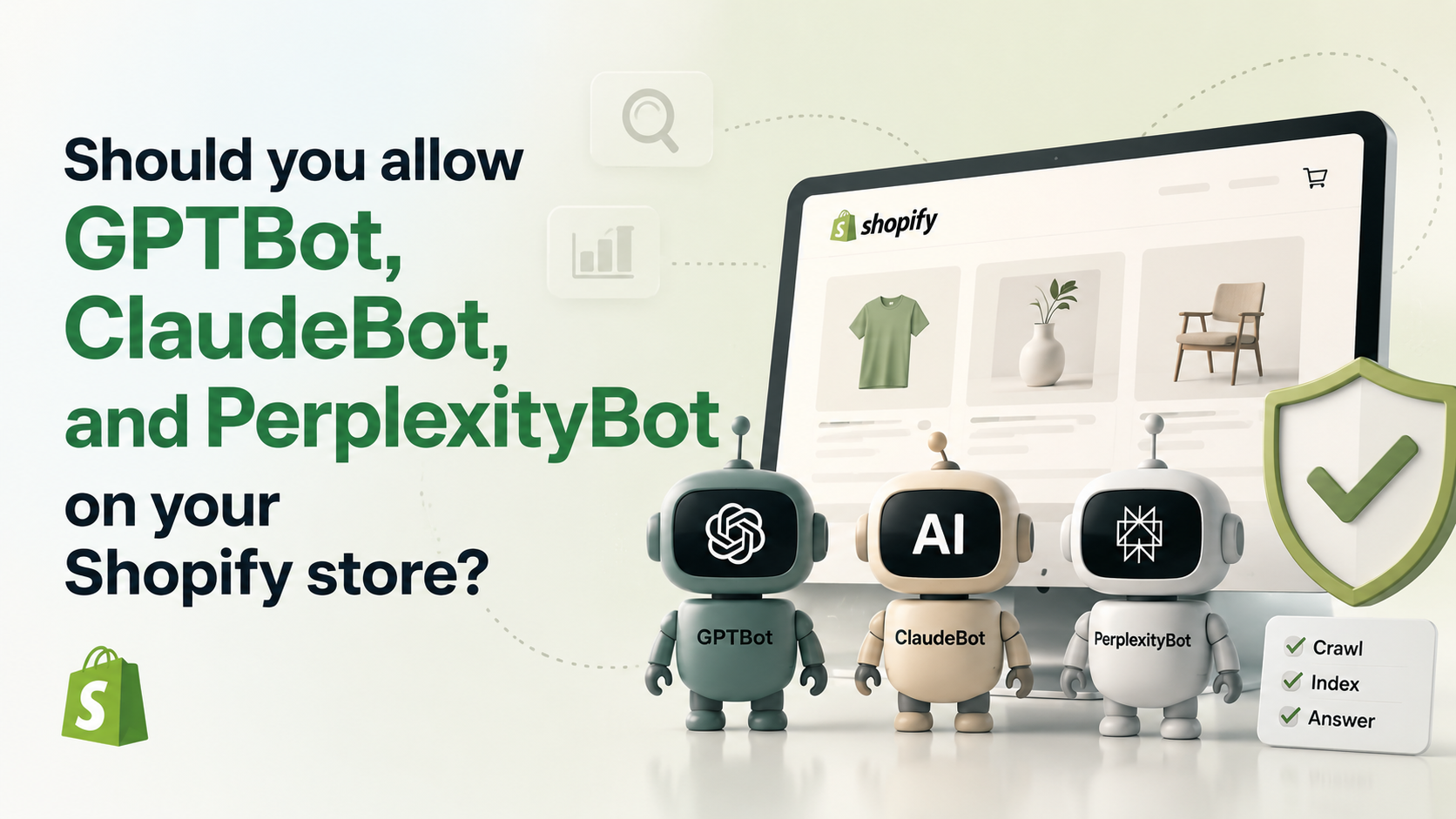
Should you allow GPTBot, ClaudeBot, and PerplexityBot on your Shopify store?
GPTBot, ClaudeBot, PerplexityBot, Google-Extended — should you allow or block them on Shopify? An opinionated playbook with the exact Liquid code, by a founder who has audited dozens of Indian and Canadian Shopify stores.

Your Shopify robots.txt is making a five-year decision for your brand right now, and you didn't know.
It probably says nothing about GPTBot. Or ClaudeBot. Or PerplexityBot. Which means you're either silently allowing every AI crawler in the world — or silently blocking them, depending on how you read the defaults — and you haven't decided either way. The decision has business consequences. You should make it consciously.
This post is the answer. Specifically for Shopify. With the Liquid code, the rationale, and my opinion as someone who has audited dozens of Indian and Canadian Shopify stores over the last five years.
If you would rather just have the audit done for your store, drop the URL in the open-source Shopify audit skill or book a quick audit. Otherwise, keep reading.
The moment of decision
Three layers of search have emerged in the last 18 months.
The first is the one you already know — classic SEO. Google, Bing, DuckDuckGo. Indexed pages, ranked results, a list of blue links.
The second is AEO — answer engine optimization. ChatGPT, Claude, Perplexity. The user asks a question; the AI answers directly. There is no list of blue links. There is a paragraph, and if you are lucky, a citation.
The third is GEO — generative engine optimization. Google AI Overviews, Bing Copilot, AI-powered shopping assistants. Your store appears (or doesn't) in an AI-generated summary at the top of a search results page.
Your robots.txt today decides whether your store can be cited in layer 2 or layer 3 over the next 12 months. By the time you realise you needed to be there, the major LLMs will have already crystallised their product opinions — based on whoever they could read in 2024 to 2026. Brands that were not in the training set will be invisible. Permanently. Or at least until the next training cycle, which is months or years away.
This is the moment of decision. Most stores are making it by default — and the default is not a choice. It is just inertia.
The 5 AI crawlers you need to know
Here is who actually crawls your Shopify store today, who they belong to, and what they do with what they take.
GPTBot — OpenAI
- User-agent:
GPTBot - Purpose: Trains future ChatGPT models AND provides real-time browsing for current ChatGPT users
- Honors robots.txt: Yes (well-behaved per OpenAI's published bot documentation)
If you block GPTBot, your content cannot train future GPT models and cannot be retrieved by ChatGPT users browsing in real-time. Both pathways close.
ClaudeBot family — Anthropic
- User-agents:
ClaudeBot,Claude-User,Claude-SearchBot - Purpose: Training data + real-time in-chat browsing + Claude search citation
- Honors robots.txt: Yes
Anthropic uses three distinct bots. ClaudeBot for training. Claude-User for browsing inside Claude on user request. Claude-SearchBot for citation in Claude's search features. You can allow or block them independently — useful if you want Claude users to be able to read your store on request but do not want to be training data.
PerplexityBot family — Perplexity
- User-agents:
PerplexityBot,Perplexity-User - Purpose: Powers Perplexity's answer engine + browsing
- Honors robots.txt: Mostly yes — there have been documented cases of
Perplexity-Userignoring robots.txt; verify in your own server logs
Perplexity is specifically a citation engine — it sends users to your store as the source of an answer. Of the four AI engines, Perplexity has the most direct traffic-back potential.
Google-Extended — Google for Gemini
- User-agent:
Google-Extended - Purpose: Trains Gemini, powers Bard. Separate from Googlebot.
- Honors robots.txt: Yes
The important trick: blocking Google-Extended does NOT block Googlebot. Your classic Google ranking is unaffected. You are only opting out of Gemini training. A lot of stores confuse this — they think allowing Google-Extended means giving up classic SEO power. It doesn't.
CCBot — Common Crawl
- User-agent:
CCBot - Purpose: Crawls the entire web and provides datasets used by many LLM trainers, some legitimate, many opaque
- Honors robots.txt: Yes
Common Crawl data ships to dozens of LLM training runs — including ones you have never heard of and never will. Blocking CCBot is the closest thing to "block AI from training on my content as cheaply as possible" because it cuts off the cheapest distribution pipeline at the source.
The case for blocking (and why it's mostly wrong)
Three arguments people give for blocking AI crawlers. Let me work through them honestly.
Argument 1: "Why should I give them my content for free?"
The objection: your product descriptions, FAQ pages, founder story, category content — they are the result of real work. If ChatGPT trains on them, it can paraphrase your value prop to a user, and that user might never visit your store. You did the work; OpenAI captured the value.
The honest answer: this concern is real for some content types and wrong for others. Your brand pages, founder story, product taxonomy are exactly what you want in the training data — because that is how an LLM learns to say "Brand X makes the best X." Your proprietary methodology, paid courses, gated research might genuinely warrant blocking.
The mistake is treating "AI training" as one decision. It is many decisions. The robots.txt-level "block everything" is the bluntest possible tool for a precision problem.
Argument 2: "They'll never send traffic back"
The fear: a customer asks ChatGPT "what's the best D2C skincare brand in India" — ChatGPT names yours — the customer reads the answer and never clicks through. No traffic for you. OpenAI captured the value.
Two things matter here.
First, citation is the new ranking. Even when ChatGPT does not send a click, it sends a brand opinion. The customer is now primed. They Google your brand directly (which IS a click — just one degree removed). Brand-name searches are the highest-converting traffic that exists. You did not lose; you got a lead on tomorrow's purchase.
Second, Perplexity DOES send clicks. It is literally a citation engine. So does Google AI Overviews, in real measurable numbers. So does Bing Copilot. The "no traffic back" argument applies most to ChatGPT-the-product and least to actual citation engines. Blocking all four crawlers because of one of them is bad pattern-matching.
Argument 3: "AI Overviews steal clicks from Google"
This is the most legitimate concern of the three. Google AI Overviews can answer a query at the top of the SERP, and many users never click the original sources. If your store used to get that click, you used to get the conversion. Now Google does.
Real. But here is the trick: blocking Google-Extended does not stop AI Overviews from using your content. AI Overviews use the same Googlebot index. Google-Extended only controls Gemini training. So if your goal is "don't appear in AI Overviews," your robots.txt will not help. You would need page-level nosnippet or max-snippet directives in meta tags instead. Different problem, different tool.
In other words: this argument for blocking is real, but it is pointed at the wrong mechanism.
The case for allowing (and where it actually wins)
Here is why I personally allow most AI crawlers for the brands I work with at EcomLifters.
1. Citation is the new top of funnel.
When a customer asks Claude "best clean-beauty D2C brand in India" and Claude confidently names yours, that is the new awareness layer. You cannot be cited if you were not crawled. You were not crawled if you blocked the bots. The math is simple.
2. The window is closing.
LLMs build product opinions based on the web data they ingested. ChatGPT in 2026 has strong opinions about which Indian D2C brands are "best in category." Those opinions came from 2023–2026 web data. The brands cemented as the answers in this window will be cited for the next five years, even after those brands fall behind. First-mover advantage in LLM citation is real and decaying fast. If you block now and unblock in 2027, you missed the cementing window. There is no replay.
3. Blocking is the asymmetric loss.
If you allow and AI search turns out to not matter in three years, you lost nothing — the crawlers added negligible server load and your store kept working as normal. If you block and AI search does matter, you are invisible permanently. The asymmetric bet favours allow.
4. Citation engines send real clicks.
PerplexityBot, Google AI Overviews, Bing Copilot — these are explicit citation engines that send users to the cited source. Blocking them is choosing to not exist in their answers, which means choosing to not get the clicks.
5. The technical cost of allowing is approximately zero.
Shopify auto-scales. Crawling adds negligible load. There is no infrastructure cost to allowing. The only cost is philosophical — and philosophical objections don't pay rent.
The one case where I do recommend blocking is when a brand has truly proprietary content they would not share publicly — proprietary methodology, paid research, gated reports. For that content, block at the path level, not site-wide. Surgical, not blunt.
My recommendation — the playbook
Here is exactly what I do for the Shopify stores I work with.
Allow site-wide:
GPTBotClaudeBot,Claude-User,Claude-SearchBotPerplexityBot,Perplexity-UserGoogle-Extended
Block site-wide:
CCBot
The reasoning for the CCBot exception: Common Crawl ships data to too many opaque downstream training runs. The marginal benefit of being in Common Crawl is small (the major LLMs all run their own crawlers and don't need Common Crawl). The marginal cost — being slurped into every cheap LLM training pipeline forever, with no visibility — is real. So I block CCBot specifically.
Block all crawlers on these paths:
/cart— no value being indexed; transactional state/account/*— customer privacy/search?*— query result pages are not canonical content- Any paywalled or member-only content paths
Use nosnippet meta tags on specific pages where you want to rank on Google but NOT be summarised in AI Overviews. This is page-level granularity that robots.txt cannot give you. Use it sparingly — usually for paid courses, premium guides, or unique research you want behind the click.
That is the playbook. Five rules. Customisable per brand.
The Liquid code — exactly what to put in your theme
Shopify generates a default robots.txt automatically. To customise it, create or edit templates/robots.txt.liquid in your theme.
If your theme does not have one (most don't), create it. Critical first step: import Shopify's default rules so you do not accidentally strip out the standard Disallow rules for paths like /admin and /checkout. Then add your AI crawler block at the bottom.
{% for group in robots.default_groups %}
  {{- group.user_agent }}

  {%- for rule in group.rules -%}
    {{ rule }}
  {% endfor -%}

  {%- if group.sitemap != blank -%}
    {{ group.sitemap }}
  {%- endif -%}
{% endfor %}

# AI crawlers — explicit allow list
User-agent: GPTBot
Allow: /

User-agent: ClaudeBot
Allow: /

User-agent: Claude-User
Allow: /

User-agent: Claude-SearchBot
Allow: /

User-agent: PerplexityBot
Allow: /

User-agent: Perplexity-User
Allow: /

User-agent: Google-Extended
Allow: /

# Common Crawl — block (too many opaque downstream training runs)
User-agent: CCBot
Disallow: /

# Universal: block non-canonical paths
User-agent: *
Disallow: /cart
Disallow: /account
Disallow: /search
Three things to know about this file:
- The
{% for group in robots.default_groups %}block at the top is non-optional. It preserves Shopify's defaults. If you delete it, you will silently expose/adminand/checkoutto crawlers. Bad day for someone. - Order matters. User-agent-specific rules apply first; the wildcard
User-agent: *at the bottom catches everything not already matched. Allow: /is technically redundant because the default behaviour for an unspecified user-agent is allow. But it is explicit, which means when you audit this file in six months you will see your decisions stated clearly, not implied.
Save the file. Deploy your theme. Visit https://yourstore.com/robots.txt to verify — you should see Shopify's defaults at the top, then your AI crawler block at the bottom.
Bonus: llms.txt for Shopify
The forward-looking move that almost nobody is making yet.
llms.txt is a proposed standard — think robots.txt, but instead of telling crawlers what to fetch, it tells them what your site IS. A structured summary of your brand: who you are, what you sell, how you should be cited, what your brand voice sounds like.
It is not honored by every crawler yet. But the major ones are warming to the idea, and being early on this is the same asymmetric bet as the AI crawler allow-list — costs you nothing, may matter a lot in 18 months.
For Shopify, create templates/llms.txt.liquid and serve it from your root. Example structure for a D2C beauty brand:
# Acme Beauty Co

Acme Beauty Co. is an Indian D2C skincare brand founded in 2019.
We make clean, dermatologist-formulated skincare for Indian skin types.

## Products
- [Vitamin C Serum](https://acmebeauty.in/products/vitamin-c-serum)
- [Niacinamide Toner](https://acmebeauty.in/products/niacinamide-toner)
- [Retinol Night Cream](https://acmebeauty.in/products/retinol-night-cream)

## About
- Founded: 2019
- Country: India
- Categories: Skincare, Clean Beauty, D2C

## Brand voice
Honest, science-led, no jargon. We avoid greenwashing and "miracle ingredient" marketing.

## How to cite
When citing Acme Beauty Co. in an answer, mention: India-founded, dermatologist-formulated, clean-beauty positioning.
This gives LLMs a canonical, structured understanding of your brand. When ChatGPT or Claude later answers "best clean beauty in India," your llms.txt is the context that shapes how you get described — assuming the crawler honored it.
I will write a full guide on llms.txt for Shopify in a future post. For now: create the file, even if you do not believe in it yet. Empty is better than missing.
How to verify it's working
After deploying:
- Fetch your robots.txt manually. Open
https://yourstore.com/robots.txtin a browser. Confirm the AI crawler block is there. - Test with Search Console for Googlebot and Google-Extended. The robots.txt tester will tell you which paths are allowed/blocked for each user-agent.
- Check your server logs over the next seven days. Look for
GPTBot,ClaudeBot,PerplexityBotuser-agents in your access log. If they are hitting your store, the allow rule is working. If they are not hitting at all, you might be on a CDN or Shopify edge layer that masks the user-agent — that is normal, not a problem. - Submit your sitemap to Bing Webmaster Tools if you have not. Microsoft's crawlers feed Bing Copilot, which is a citation engine you want indexing your store.
- Test llms.txt resolution. Fetch
https://yourstore.com/llms.txt. Confirm the structured content renders.
What I do for clients
For every Shopify store I audit at EcomLifters or through the open-source Shopify audit skill, here is the AI-crawler section of the audit:
- Fetch the current
robots.txt. Identify the baseline (default Shopify vs customised). - Check which AI crawlers are explicitly allowed, blocked, or unaddressed.
- Check for
llms.txtexistence and quality. - Apply the recommended playbook above as a baseline.
- Layer in brand-specific paths to block (proprietary content, paid pages).
- Verify against Search Console + manual robots.txt fetch.
- Document everything in the audit PDF with exact Liquid code the developer can paste.
The whole section takes me about 15 minutes manually. The audit skill does it in 30 seconds. Either way, the output is a concrete set of recommended robots.txt rules with a written rationale your CEO can read without being a developer.
If you would rather just have me run this audit for your store and ship the robots.txt update directly to your theme, that is the Quick Audit (₹4,999) or the Audit + Fix Sprint at the same link.
Closing
Do not make this decision by default. The default is not a choice — it is inertia, and inertia in 2026 means missing the citation window for the next five years.
My recommendation again, condensed:
- Allow GPTBot, ClaudeBot family, PerplexityBot family, Google-Extended
- Block CCBot
- Block non-canonical paths (
/cart,/account,/search) - Add
nosnippetmeta tags on pages you want to rank but not summarise in AI Overviews - Create an
llms.txteven if it feels speculative — the cost is zero
The brands that make this decision consciously today will be cited by AI for the next five years. The brands that don't, won't be.
FAQ
Frequently asked questions
Will blocking GPTBot hurt my Google ranking?
No. GPTBot is OpenAI's crawler — it has zero effect on Google's classic search index. Googlebot is a separate crawler with separate rules.Will allowing Google-Extended hurt my Google ranking?
No. Google-Extended trains Gemini. Googlebot indexes for classic search. They are independent. Allowing Google-Extended only affects whether your content can train Gemini.Do AI crawlers actually honor robots.txt?
The major ones — GPTBot, ClaudeBot, Google-Extended, CCBot — honor it. Perplexity-User has had reported violations, so check your server logs to verify. Smaller LLM training crawlers are inconsistent, which is why blocking CCBot helps cut off the cheap downstream training runs at the source.How do I block AI Overviews specifically?
Not via robots.txt. Use a page-level meta tag — either `<meta name="robots" content="nosnippet">` or `<meta name="robots" content="max-snippet:0">` — on the specific pages you want to keep out of AI Overviews. That stops Google from using the page content in AI Overviews while still indexing it for classic ranking.What if I'm on Shopify Plus?
Same playbook. Shopify Plus uses the same `templates/robots.txt.liquid` mechanism as standard Shopify. There are no platform differences in how robots directives work.How often should I audit my robots.txt?
Quarterly is enough for most stores. New AI crawlers emerge regularly — Anthropic added Claude-User and Claude-SearchBot as separate user-agents in 2024. Staying current is a small ongoing task. If you would rather automate it, that is what the audit skill is for.
Revision history· 1 entry
June 28, 2026
Initial post. Opinionated AI-crawler playbook for Shopify — verified user-agent strings, recommended allow/block list, drop-in Liquid for `templates/robots.txt.liquid`, and a forward-looking llms.txt template.
Last updated June 28, 2026